
Attorney Dashboard
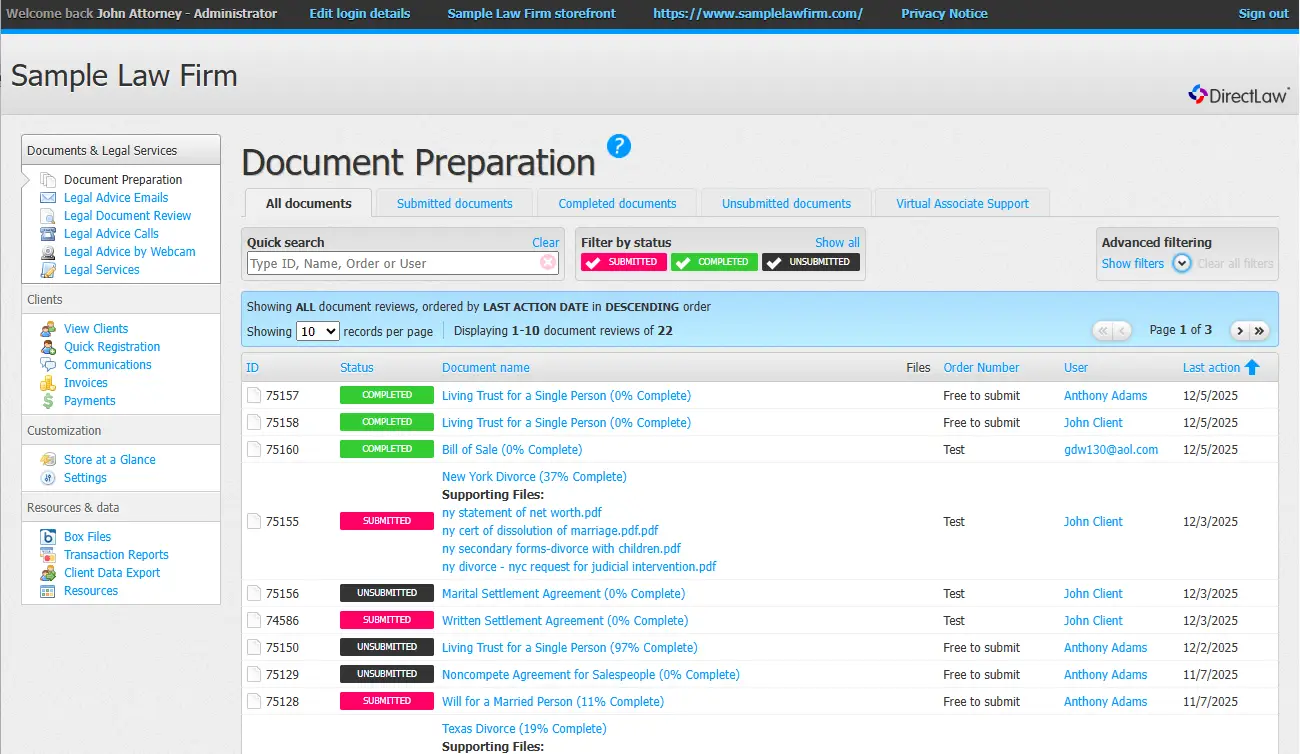
The DirectLaw Attorney Dashboard provides an intuitive space to manage document automation, communicate with clients, share files, create invoices and more.
How it Works
Manage all of your DirectLaw features in one intuitive online interface. Instructions and help are built in.
Access Rapidocs Document Automation Software
The attorney dashboard gives you access to over 300 automated legal documents. Either you or your client can answer a simple online questionnaire. Our Rapidocs document automation software will generate a first draft of the document ready for you to review and edit if necessary.
Create Client Accounts
Clients can register for their own account to access your DirectLaw client portal or you can create an account for them in your Attorney Dashboard. DirectLaw makes it easy. All you need is the client’s email address. DirectLaw will create a temporary password and send the client all the information they need to log in.
Communicate with Clients
All of your clients’ communications with you will be in one secure place. Communications are time and date stamped and stored in threads. The client can always access your communications to them by logging into their client portal. This is much more secure and traceable way to communicate than text or email.
Share Files
DirectLaw allows the client to upload files for the firm and vice versa. All files are accessible to the client through their client portal and to the firm through the attorney dashboard.
Calendar
Remind clients of important events by putting them on the client’s calendar. The client will receive a reminder when the event is approaching.
Customize Your DirectLaw Platform
Through the Attorney Dashboard you can customize your DirectLaw platform by uploading your logo and contact information. You can also selecting and price the legal documents and services you want to provide.
Invoice Clients
The DirectLaw Attorney Dashboard lets you create invoices which clients can pay online with a credit card by logging into their client portal.
Create a Pay Button
In the Attorney Dashboard you can set up a pay button to add to your website. This button will allow clients to pay you any amount online with a credit card.
Integrate with Practice Management Software
DirectLaw currently integrates with Clio and RocketMatter. More integrations are planned for the future.