
Rapidocs Document Automation Software

Web-Enabled Document Automation Software
How Rapidocs Works
Rapidocs guides your client through a question-and-answer session which transforms their answers into tailor-made legal documents in real time. When the online questionnaire is completed by the client, a first draft document is ready for download, review and amendment (if needed) by the firm. The final document is uploaded to the client portal, ready for instant download.
The underlying technology of Rapidocs is very sophisticated, but the question and answer process is very simple. Guidance is provided throughout the interview process so that the vast majority of queries that a user may have are dealt with immediately, within the questionnaire itself.
Rapidocs Advantages
- Flexible – Virtually any form or document, regardless of its complexity, can be automated with this unique technology.
- Easy to use – The highly intuitive Rapidocs interface enables users to create documents with little or no prior experience.
- Smart and efficient – An answer only needs to be given once to enter it into the document however many times it is needed. If a question is not relevant to the client’s situation it will not be asked.
- Versatile – No software to install. Rapidocs works directly in the browser and will work on Windows, Mac and mobile devices.
- Secure – All documents and forms are locked with 128-bit key encryption, making them ultra secure.
- Error Reducing – Entry errors are significantly reduced by the advanced validation features Rapidocs has to offer.
- Web/mobile friendly – Documents can be accessed directly from a web browser and easily completed online.
- Easy to automate – You can automate your own documents and forms using Rapidocs Author, and we will publish to your site at no additional cost to you.
See Rapidocs in Action
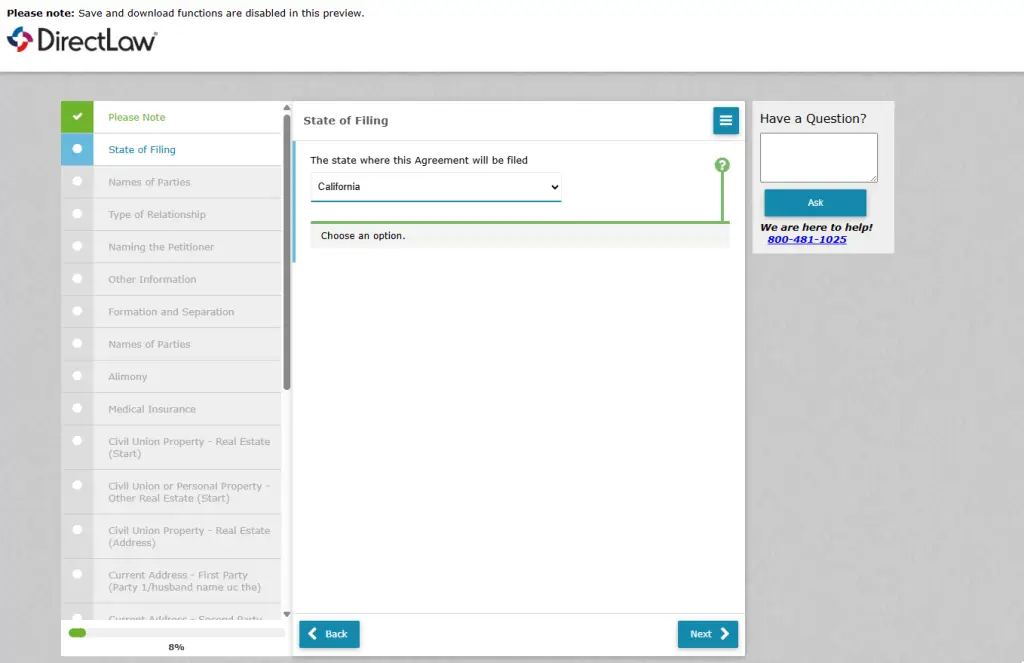
Client View
- Your client answers a user-friendly questionnaire with built-in help prompts.
- Their document gets assembled real-time in the background and is instantly ready for your review.
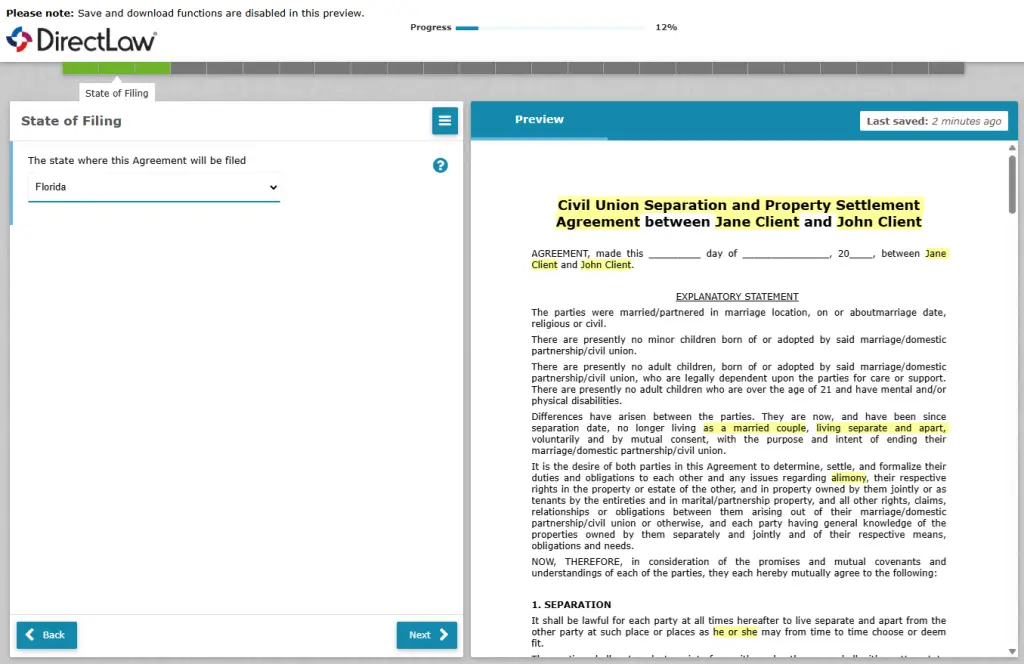
Attorney View
- See your client’s answers on the left.
- See the document assemble real-time on the right as you change the answers on the left.
- Edit the document on the right directly in the browser.